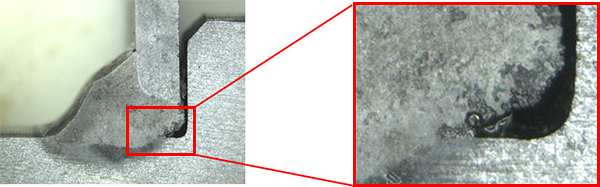
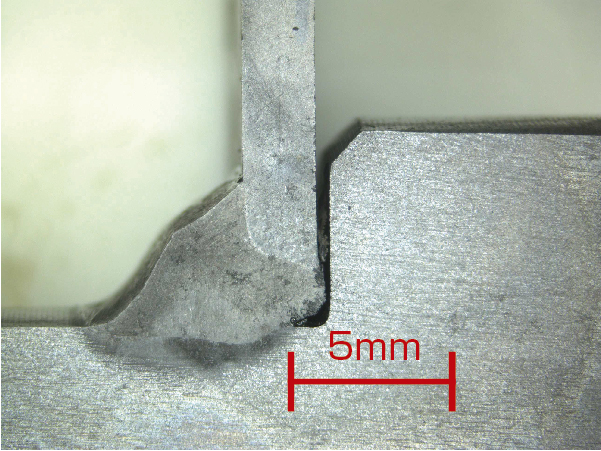
Improve the efficiency of measuring the dimensions of weld penetration!
A set of a full-featured microscope and software with comprehensive measurement functions.
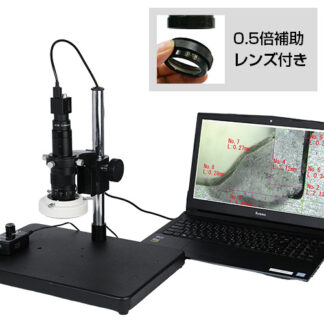
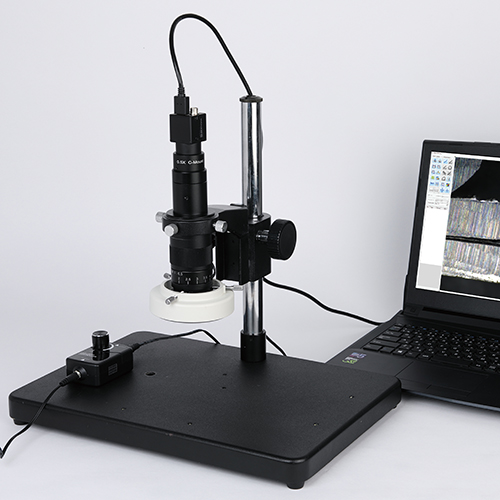
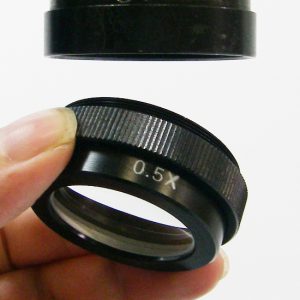
A set that includes a “Full-scale Digital microscope,” a “0.5x auxiliary lens,” and “measurement software.”
<Measurement software>
●Create reference lines with one click
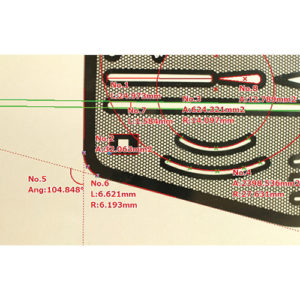
●Wide range of measurement items
●Accurate measurements with automatic edge fitting function
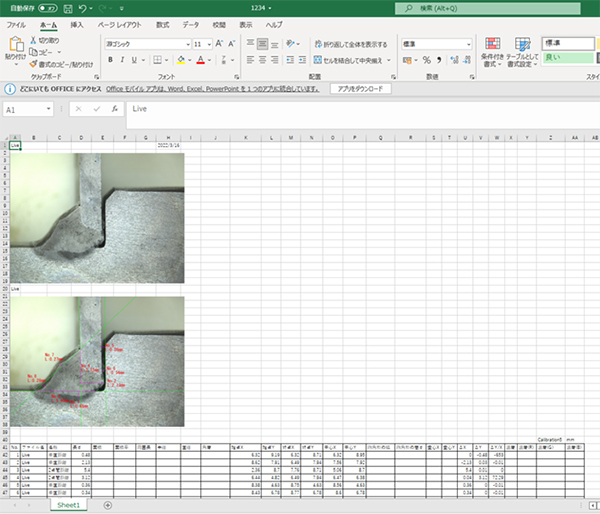
●Easy report creation with one click for Excel output
*Laptop not included.
Full of useful functions for measuring dimensions!
Features of the measurement software “MFShip”
“MFShip” is equipped with a full range of measurement-assistance functions, allowing even the time-consuming task of measuring weld penetration to be carried out efficiently.
<Dimensional measurement using MFShip>
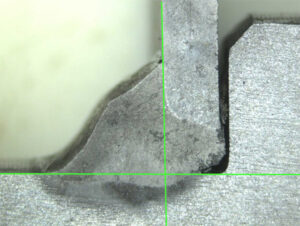
・Cross line
Click anywhere on the screen with the mouse to create a cross line.
If the line is misaligned, you can easily change its position by clicking again.
*You can also change the color and line width!
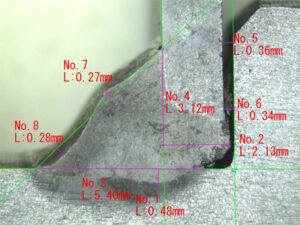
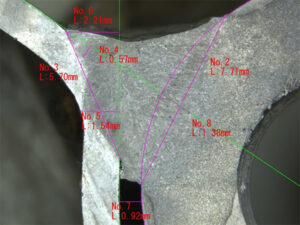
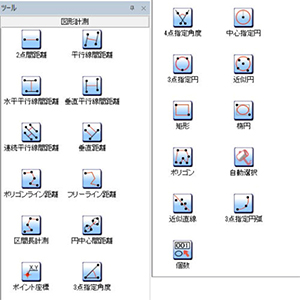
・A wide range of measurement items
It has a wide variety of measurement items and can be used not only for actual measurements but also as a reference line.
If you want to use it as a reference line, you can turn off the measurement value display.
In addition, the display color of each measurement line and number can be changed.
<Measurement function (example)>
| ・Distance between two points |
・Distance between parallel lines |
・Distance between horizontal parallel lines |
・Distance between vertical parallel lines |
| ・Vertical distance |
・Circle center distance |
・Point coordinates |
・Three-point angle |
| ・4-point angle |
・3-point circle |
・Approximate circle |
・Rectangle |
| ・Oval |
・Approximate line |
・Three-point circle |
Other useful features
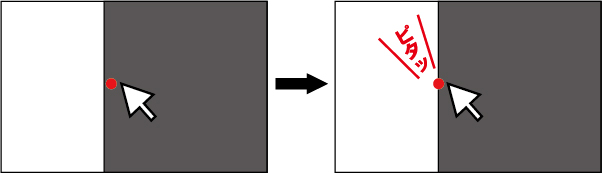
・Edge auto-fit function
When you move the mouse cursor close to the line you want to measure, it will automatically fit to the edge.
This reduces human error and allows for accurate measurements!
・Pinpoint digital zoom function
By turning the mouse wheel, you can zoom in and out using digital zoom, centered on the point indicated by the mouse cursor.
This is a very convenient function that allows you to zoom intuitively.
・Scale display
You can display the scale at any size and in any location.
・One-click reporting function
Measurement data can be transferred to Excel with one click.
The measurement values are output to Excel, including the raw image and the image with the measurement values (image with lines), making it an extremely convenient function that shortens the time required to create reports.
Other Features
Microscope is fully-featured with a zoom lens
Equipped with an optical 6x zoom lens for a total magnification of 25x to 140x
*If you use the included 0.5x auxiliary lens, the total magnification is 12x to 70x
Set contents
Specifications
USB3.0 Microscope TG500CS General Specifications
| Total Magnification |
25x – 140x *Magnification is calculated based on a 17-inch monitor |
| Working Distance |
90mm *This is almost constant regardless of magnification. |
| Field of view |
16.0mmx12.0mm (at 25x) |
| 2.7mmx2.0mm (at 140x) |
| Sensor |
1/2.5”CMOS |
| Number of pixels |
5.0 Megapixel |
| Pixel size |
2.2μmx2.2μm |
Resolution
(Frame rate※) |
2592×1944(18fps)
*The actual frame rate may vary depending on your computer’s performance and settings. |
USB3.0 Microscope TG500CS Operating Environment
| Supported OS |
Windows7、8、8.1、10、11 |
| CPU |
Intel core i5 or higher |
| Memory |
8GB or more |
TG500CS When 0.5x auxiliary lens is attached
| Working Distance |
Field of View |
| 160mm |
32.0mmx24.0mm(at 12x)
5.4mmx4.0mm(at 70x) |
High-performance image processing and measurement software MFShip operating environment
| Supported OS |
Windows 10、11(64bit) |
| CPU |
Core-i3 equivalent or 2.0GHz or higher |
| Memory |
8GB or more(64bit) |
| Display |
Full color 1280 x 1024 or higher |
| Interface |
USB 2.0 or higher 1 port |